Google Gemini AI via Vertex AI
Advisory Google Gemini AI built directly into your queues, documents and calls
Connected through Google Cloud Vertex AI inside your organization’s own project—off by default and strictly advisory—TaskPerfect 12 suggests next steps, drafts queues and charts from plain English, extracts fields from incoming PDFs, transcribes calls and answers questions from your SOPs.
- Next-step suggestions & daily briefing
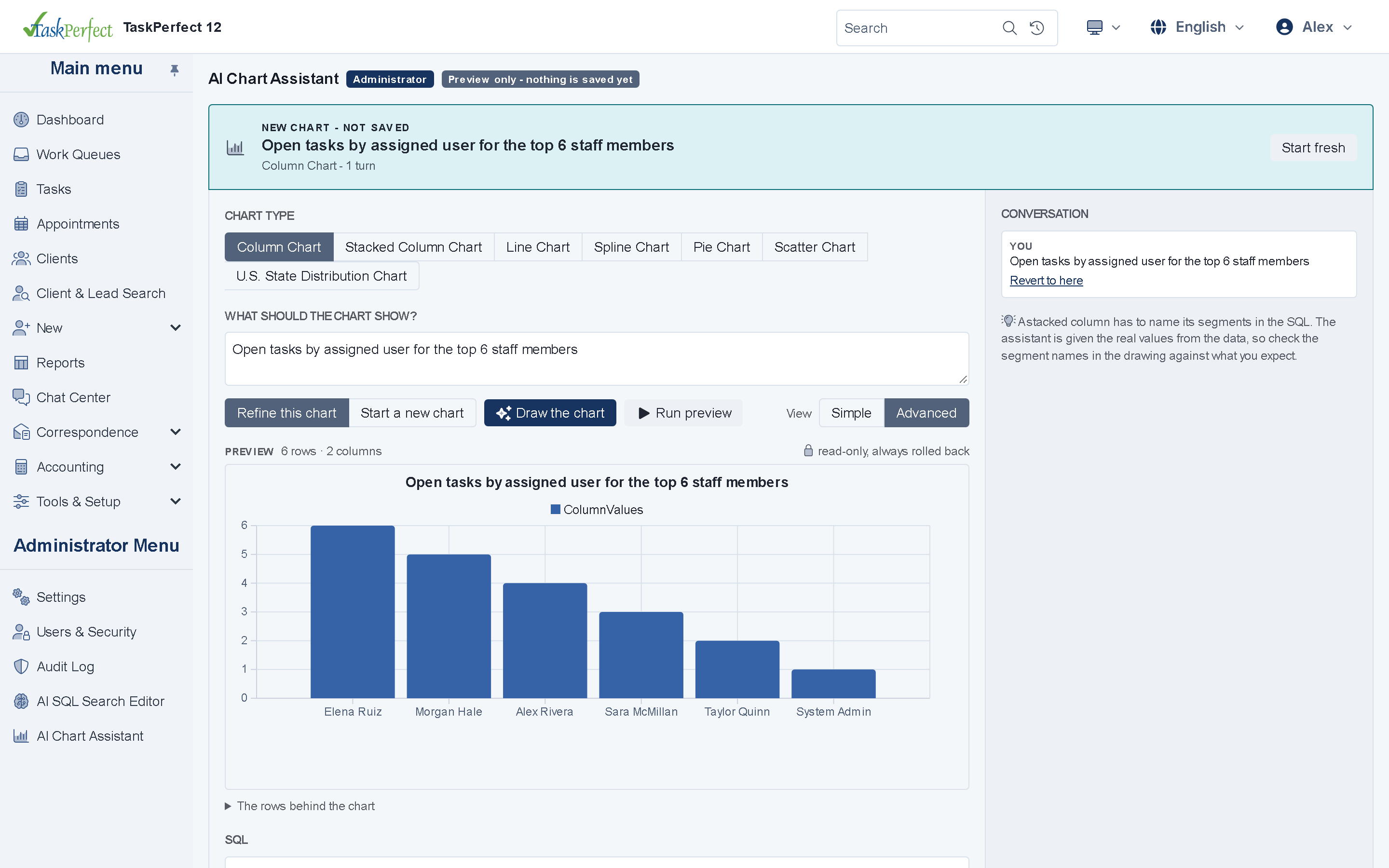
- Plain-English queue & chart builders
- Document extraction, call QA & KB Q&A
AI & Automation
Core capabilities
Next steps & builders
See grounded next-step recommendations citing underlying records, review morning briefings, and draft work queues or dashboard charts in plain English.
Automated document intake
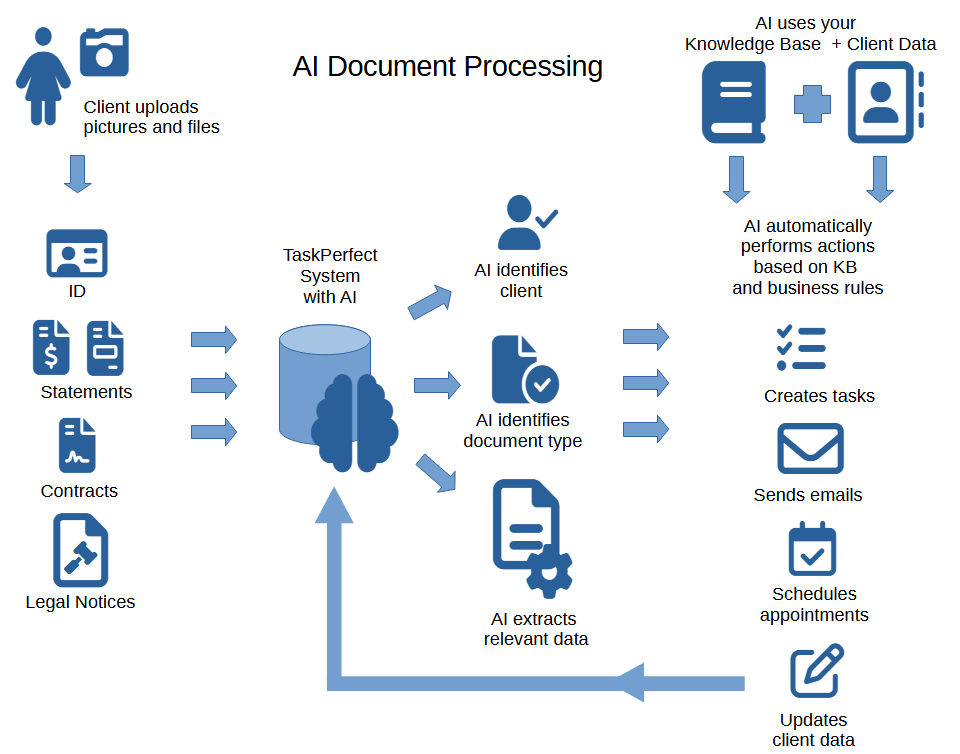
Classify uploaded scans and PDFs automatically, extract structured fields (dates, amounts, parties, IDs), summarize long files and compare revisions.
Call QA, chat & translation
Transcribe diarized call recordings, score rep adherence, draft Instant Answers from your Knowledge Base, and assist with portal translations.
How it works
High-impact AI workflows inside your own Google Cloud security boundary
Your staff spends hours triaging queues, reading incoming mail, listening to call recordings and searching policy binders. TaskPerfect turns those manual bottlenecks into advisory one-click or automated actions—never training public models on your data.
- Next-step suggestions & Daily Briefing: surface recommended actions on open cases citing exact notes, plus a morning summary of overnight updates.
- Plain-English Queue & Chart Builders: administrators describe the queue filter or dashboard chart they want, and Gemini drafts it in the browser.
- Incoming document pipelines: classify document types, extract key values into SQL columns and trigger assigned workflow tasks automatically.
- Multi-document Q&A & comparison: summarize lengthy PDFs in the browser, or Shift-click multiple files in the Windows app for side-by-side redline comparison.
- Live chat, call QA & Knowledge Base AI: analyze transcripts for tone and compliance, and let staff or the AI Chat Assistant query your uploaded SOPs.
Watch AI Document Recognition & Workflow Automation (YouTube) →
See TaskPerfect classify incoming documents, extract data and trigger automated actions.
Use AI Against Your Knowledge Base →
How to connect your internal procedures and documentation to TaskPerfect Gemini AI.
For IT, security and operations teams
Google Gemini AI — technical & architecture highlights
- Private AI tenant
- Google Gemini accessed through Vertex AI inside your organization’s own Google Cloud project (off by default, advisory only).
- Web & desktop AI
- Next-step suggestions, briefings, queue/chart builders, chat & single-file AI on web; multi-document comparison in the Windows app.
- Governance
- Role-controlled permissions govern which users and workflows can invoke each AI capability.
Technical overview →Data ownership & hosting →Security & compliance →
Connected platform
Explore related capabilities
Ready to see TaskPerfect tailored to your team?
A live 30-minute walkthrough covers your intake flow, documents, billing, client portal and hosting options.