Case, issue & task queues
Priority-ranked work queues, triage drawers and checklists so nothing slips through the cracks
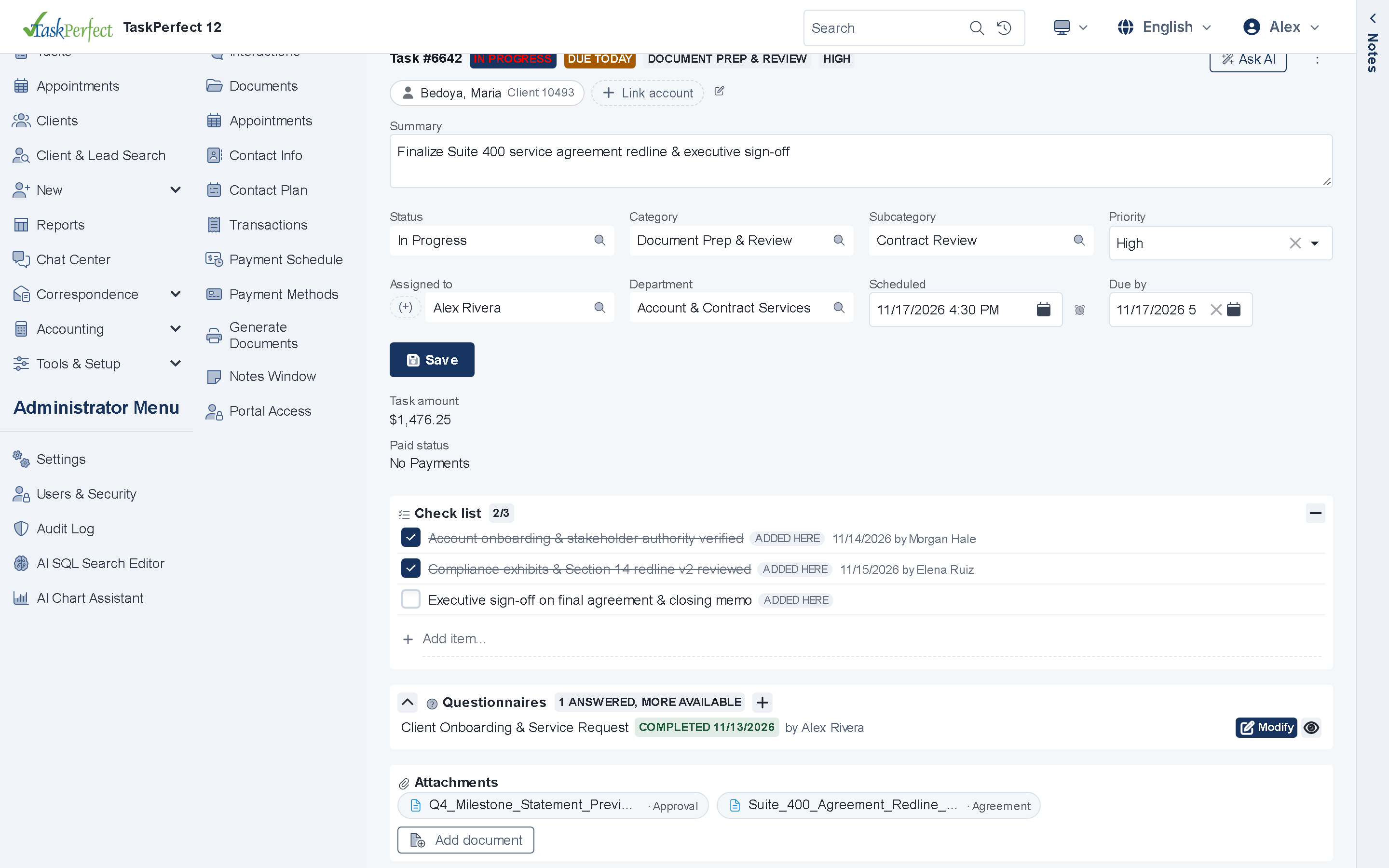
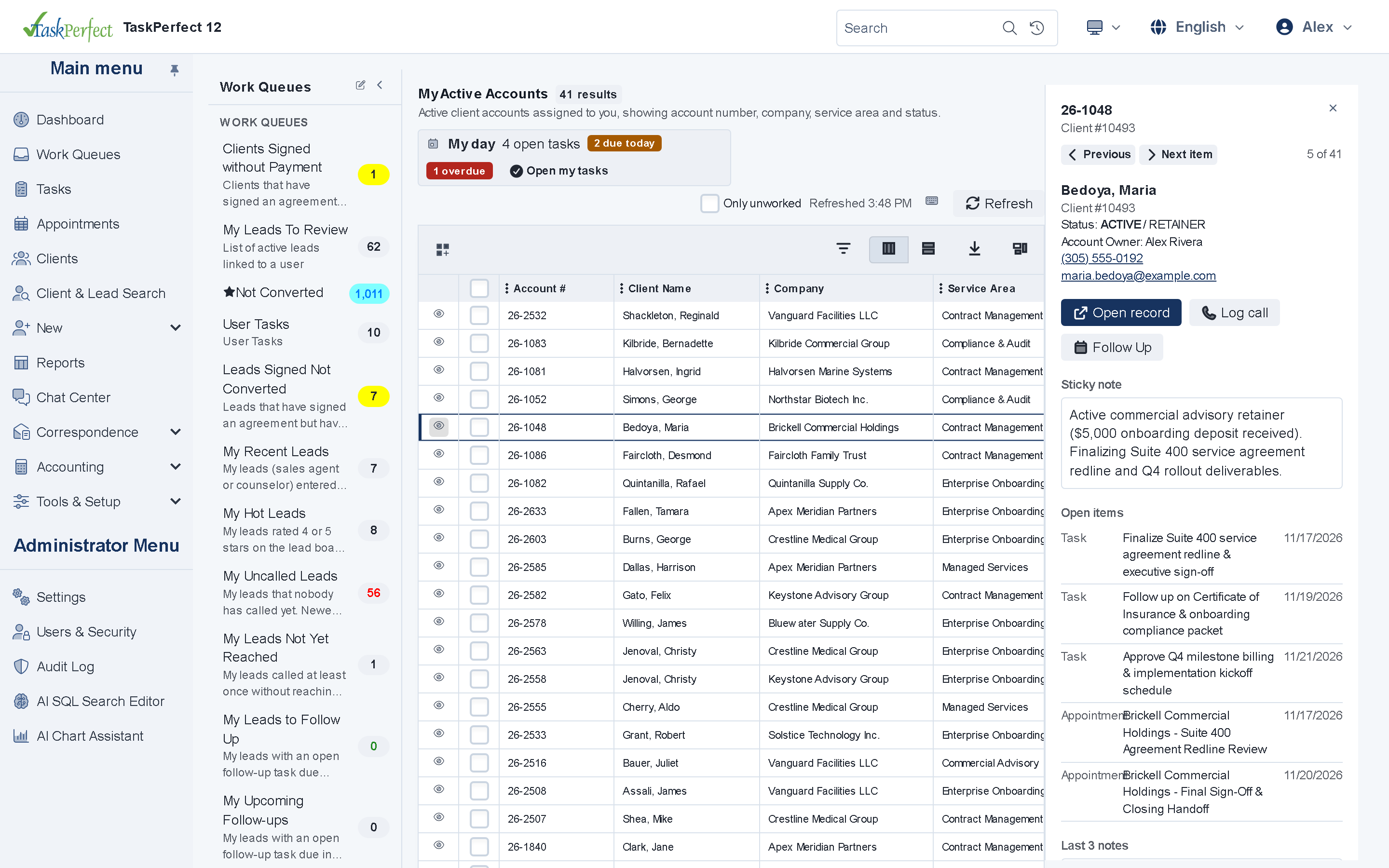
Organize every client case, support ticket, internal action item and deadline with priority-ranked Work & Task Queues, a slide-out Triage Drawer, interactive checklists, side-by-side activity timelines and live Queue Supervision.
- Priority-ranked Work & Task Queues
- Slide-out Triage Drawer & checklists
- Queue Supervision & CSAT ratings
Workflows & Cases
Core capabilities
Ranked queues & Triage Drawer
Open the next highest-priority case in sequence, or preview sticky notes and the last three notes in a slide-out drawer with keyboard shortcuts.
Checklists & collaborators
Attach interactive step checklists (with ad-hoc items and close gates), structured questionnaires, collaborators and status-fired documents.
Queue Supervision & SLAs
Managers inspect live queue counts, bulk-reassign or auto-distribute tasks, enforce SLA escalations and review "How did we do?" CSAT ratings.
How it works
Turn scattered inboxes into accountable, measurable queues
When work lives in individual email inboxes, managers cannot see bottlenecks until a deadline is missed. TaskPerfect 12 gives every team member a ranked daily queue and gives supervisors instant control.
- View chronological calls, emails, texts and notes either as a tab or as a persistent side-by-side right rail while editing a task.
- Expose a clean Customer Task View in the Client Portal—letting clients track progress, mark permitted items done and leave post-close CSAT feedback without seeing internal notes.
- Trigger automatic status documents, follow-up Contact Plans or outbound webhooks whenever a case or task changes stage.
- Let administrators build new work queue filters in plain English with the Google Gemini AI Queue Builder.
For IT, security and operations teams
Case, issue & task tracking — technical & architecture highlights
- Queue engine
- Priority-ranked Work & Task Queues, slide-out Triage Drawer, bulk reassignment and auto-distribution audit logs.
- Task structure
- Unlimited categories, statuses, interactive checklists with close gates, questionnaires and multi-user collaborators.
- Portal & CSAT
- Optional Customer Task View with "Mark as done" controls and post-resolution "How did we do?" satisfaction capture.
Technical overview →Data ownership & hosting →Security & compliance →
Connected platform
Explore related capabilities
Ready to see TaskPerfect tailored to your team?
A live 30-minute walkthrough covers your intake flow, documents, billing, client portal and hosting options.