Billing & invoicing
Turn billable time, flat fees and expenses into clear invoices that get paid faster
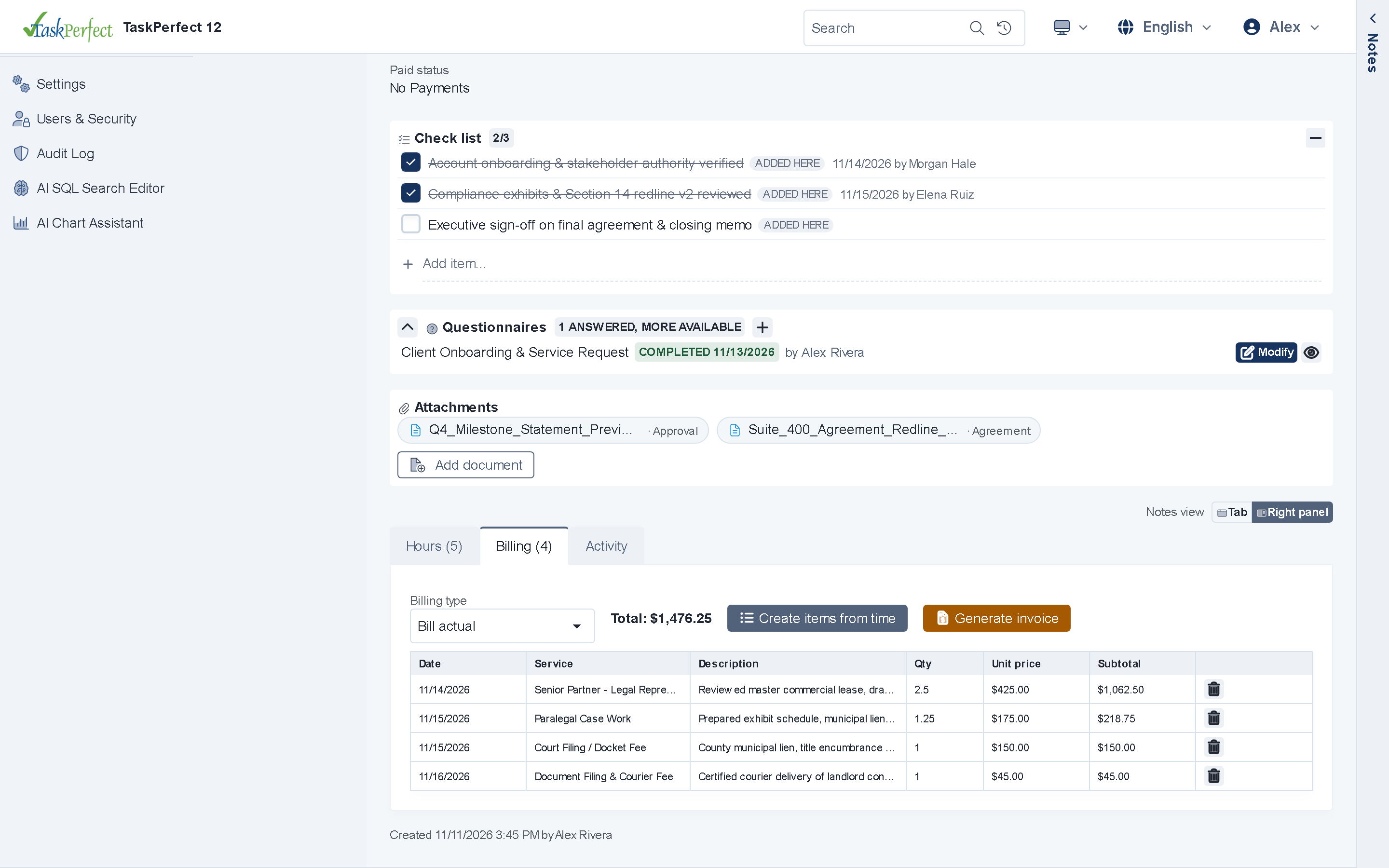
Log hourly and fixed-fee items in the browser, gate unbilled entries behind optional Billing Approval, generate Word/PDF invoices with scannable QR codes, and get paid faster via email/SMS payment links, no-login Pay Now pages and 8-digit phone codes.
- Billing Approval & locked items
- Email/SMS pay links & Word QR codes
- Authorize.Net, NMI, Clover & ACH
Accounting & Payments
Core capabilities
Billing approval & invoicing
Route unbilled task hours and fixed-rate items through optional manager approval, lock billed entries, and run clean client invoice batches.
Pay links, QR & phone codes
Clients pay online via email/SMS payment links, scannable QR codes on Word (.docx) invoices, no-login Pay Now pages or 10-minute 8-digit phone codes.
Flexible payment plans
Verify saved cards on entry with Authorize.Net, NMI or Clover, manage installment plans in the browser, and run Card & NACHA ACH batches safely.
How it works
Complete visibility from unbilled work-in-progress to collected cash
Disconnects between case management and billing software cause revenue leakage and awkward client billing surprises. TaskPerfect keeps every fee, time entry, trust transfer and payment on one SQL Server ledger.
- Support hourly billing, fixed-fee milestones, contingency fees, recurring subscriptions and split billing—with batch invoice generation in the Windows back office and online payments in the V12 web app.
- Embed scannable QR codes on printed or PDF Word invoices and send one-tap SMS/email payment links.
- Give clients full transparency into their invoice history, receipts and remaining payment schedule inside the Client Portal.
- Export clean accounting batches to QuickBooks or query financial performance directly in SQL Server.
Billing Fees to Clients →
Step-by-step overview of fee structures and invoice generation in TaskPerfect.
Collecting Payments and Fees from Clients →
How online payments, recurring schedules and fee collection work together.
For IT, security and operations teams
Billing & invoicing — technical & architecture highlights
- Fee & approval rules
- Hourly, fixed-fee, milestone & recurring plans; optional Billing Approval gate and locked billed entries.
- Gateways & ACH
- Authorize.Net, NMI & Clover (with card verification on save), NACHA US ACH, CPA 005 Canadian EFT, QR codes & 8-digit phone codes.
- Hybrid scope
- Item entry, Pay Now links & Card/NACHA batches in the V12 web app; batch invoice runs & QuickBooks exports in the Windows app.
Technical overview →Data ownership & hosting →Security & compliance →
Connected platform
Explore related capabilities
Ready to see TaskPerfect tailored to your team?
A live 30-minute walkthrough covers your intake flow, documents, billing, client portal and hosting options.