Customer Service & Technical Support · Time & expense tracking
Billable support time, SLA hour tracking & field service expense logging
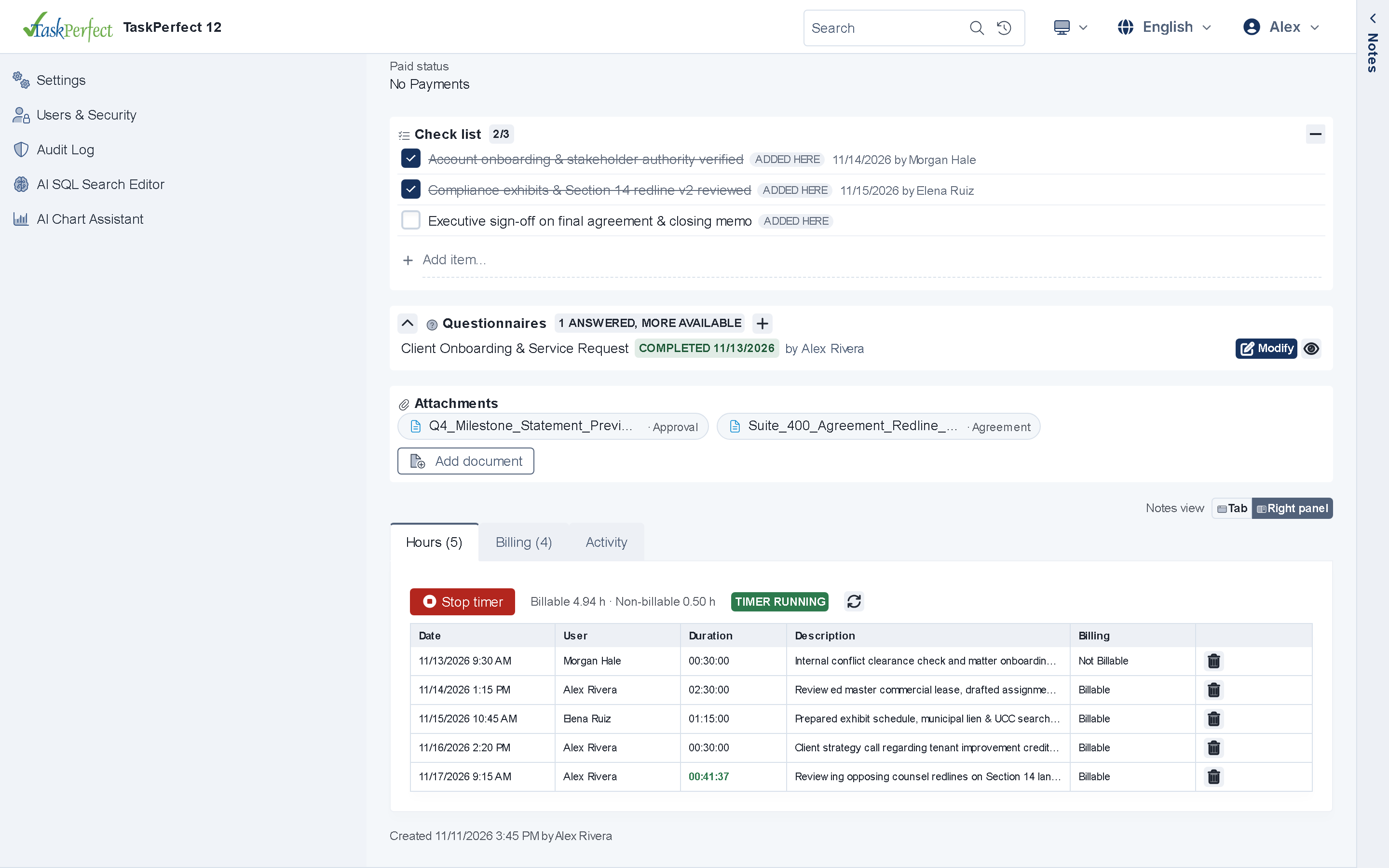
Track technician hours against prepaid support blocks, T&M tickets and on-site service visits.
- Web start/stop task timers
- Estimated vs. actual & over-budget alerts
- Billing Approval & locked billed items
Built for customer service
How customer service & technical support teams use time & expense tracking
Every screen, form and rule in TaskPerfect adapts to your tickets and service cases while sharing one SQL Server database across your team.
- Deduct logged ticket minutes from customer retainer blocks or bill overages automatically.
- Capture field travel, parts and shipping expenses with attached receipts.
- Monitor time-spent per customer, product line or issue category.
Accounting & Payments
Platform capabilities included
Web timers & hour budgets
Start and stop timers directly in the browser or Windows app, track billable vs. non-billable hours against task estimates, and spot over-budget tasks immediately.
Fixed items & expenses
Record hourly items, fixed-rate deliverables, filing fees, mileage and third-party vendor costs directly on the task Billing tab.
Billing Approval & locks
Require optional supervisor or partner approval before unbilled entries flow onto invoices, and lock billed items automatically to protect audit integrity.
Operational detail
Stop losing 15–20% of billable hours to end-of-month reconstruction
Reconstructing timesheets from sent emails and call logs at month-end costs organizations thousands of dollars every month. TaskPerfect puts task timers and billing items right beside the notes, calls and documents your team already works in.
- Link every time entry, fixed-rate item and expense to a specific client, matter, task and user rate schedule.
- Review, approve, edit or mark entries non-billable in the V12 Web App before running client invoices.
- Upload receipt photos or vendor invoices from any phone or desktop browser straight into the case repository.
- Prevent accidental post-invoice edits by automatically locking entries once billed.
For IT, security and operations teams
Time & expense tracking — technical & architecture highlights
- Entry channels
- Phone-responsive TaskPerfect 12 Web App (Hours & Billing tabs) and Windows desktop application.
- Rate & budget rules
- Per-user, per-role or activity rates; estimated vs. actual hour tracking with over-budget indicators; optional Billing Approval.
- Reporting
- Real-time SQL Server & SSRS reports for WIP, staff utilization, billable vs. non-billable hours and billed totals.
Technical overview →Data ownership & hosting →Security & compliance →
More for customer service
Explore other customer service capabilities
Ready to see TaskPerfect tailored to your team?
A live 30-minute walkthrough covers your intake flow, documents, billing, client portal and hosting options.